Moz Q&A is closed.
After more than 13 years, and tens of thousands of questions, Moz Q&A closed on 12th December 2024. Whilst we’re not completely removing the content - many posts will still be possible to view - we have locked both new posts and new replies. More details here.
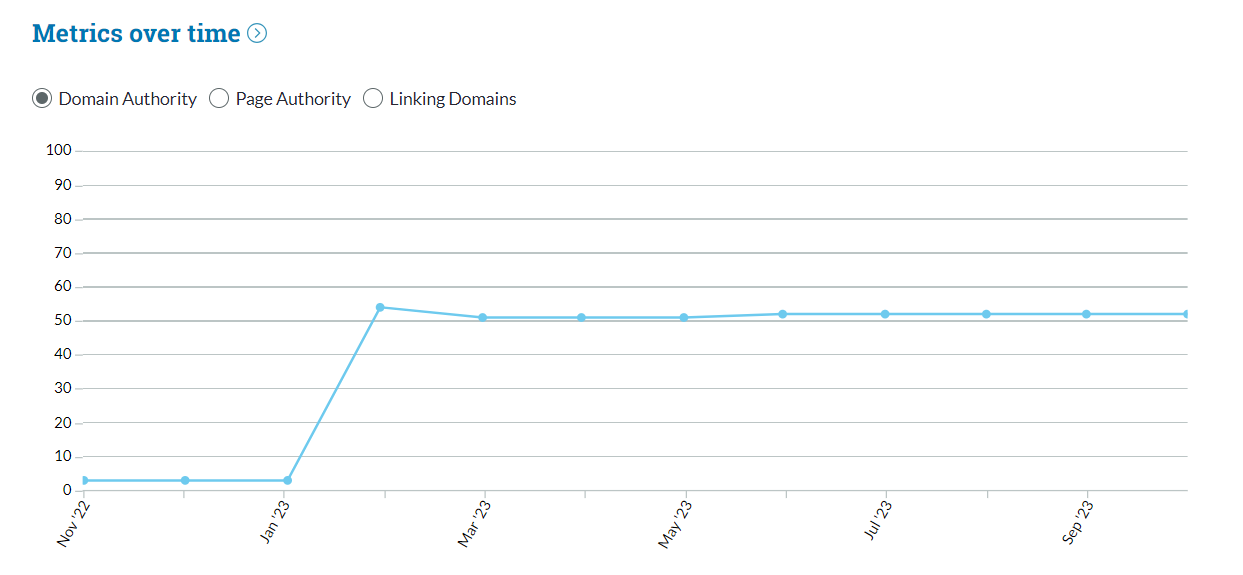
Domain Authority dropped 10 points and I don't know why
-
In my latest site crawl, the domain authority dropped 10 points for no apparent reason. There have been no changes to the site. The only change I have made this month is to block referral spam to the site. My competitors' DAs have stayed the same too.
website name: https://knowledgefront.co.uk/
Any ideas?
-
Check for incoming links and see if there's any pattern. Check referral traffic and see if any bot traffic is landing on your website or not. Try the following steps:
- Create a filter in analytics
- Block spam IPs
- Block bot traffic to land on your website.
- Create quality backlinks
- Find out pages that are performing lower in SERP i.e. 5,6,7 or 8,9th positions. Optimize them and push them for better CTR.
Once you are done, submit sitemap and wait for some time, I hope this will help you out recovering the lost DA as it works for me.
Regards,
Ravi Kumar Rana
TheSEOGuy -
@lisababblebird said in Domain Authority dropped 10 points and I don't know why:
With just a quick look, you've got 53ish links and many of them are questionable at best, or directory links.
So, link quality may be an issue, also, did you manually disavow links? If so, you probably just brought unwanted attention to your site.
We never tell clients to disavow on their own... only if they receive a manual penalty do we take that step.
Instead, focus on building actual valuable links as Google and other search engines have gotten pretty good at recognizing and ignoring spam links on their own.
Got a burning SEO question?
Subscribe to Moz Pro to gain full access to Q&A, answer questions, and ask your own.
Browse Questions
Explore more categories
-
Moz Tools
Chat with the community about the Moz tools.
-
SEO Tactics
Discuss the SEO process with fellow marketers
-
Community
Discuss industry events, jobs, and news!
-
Digital Marketing
Chat about tactics outside of SEO
-
Research & Trends
Dive into research and trends in the search industry.
-
Support
Connect on product support and feature requests.
Related Questions
-
Crawl solutions for landing pages that don't contain a robots.txt file?
My site (www.nomader.com) is currently built on Instapage, which does not offer the ability to add a robots.txt file. I plan to migrate to a Shopify site in the coming months, but for now the Instapage site is my primary website. In the interim, would you suggest that I manually request a Google crawl through the search console tool? If so, how often? Any other suggestions for countering this Meta Noindex issue?
Technical SEO | | Nomader1 -
Getting high priority issue for our xxx.com and xxx.com/home as duplicate pages and duplicate page titles can't seem to find anything that needs to be corrected, what might I be missing?
I am getting high priority issue for our xxx.com and xxx.com/home as reporting both duplicate pages and duplicate page titles on crawl results, I can't seem to find anything that needs to be corrected, what am I be missing? Has anyone else had a similar issue, how was it corrected?
Technical SEO | | tgwebmaster0 -
Strange URL's for client's site
We just picked up a new client and I've been doing some digging around on their site. They have quite the wide variety of URL's that make for a rather confusing experience. One of the milder examples is their "About" page. Normally I would expect something along the lines of: www.website.com/about I see: www.website.com/default.asp?Page=About I'm typically a graphic designer and know basically nothing about code, but I just assume this has something funky to do with how their website was constructed. I'm assuming this isn't particularly SEO friendly, but it doesn't seem too bad. Until I got to another section of their site. It's a section that logically should look like: www.website.com/training/public-seminars It's: www.website.com/default.asp?Page=MT&Area=Seminars&Sub=MRM Now that's nonsensical to me! Normally if a client has terrible URL's, I'd say let's do some redirects, but I guess I'm a little intimidated by these. Do the URL's have to be structured like this for some reason? Am I missing some important area of coding here? However, the most bizarre example is a link back to their website from yellowpages.com. Where normally I would expect it to lead to their homepage, I get this bizarre-looking thing: http://website1-px.rtrk.com/?utm_source=ReachLocal&utm_medium=PPC&utm_campaign=AssetManagement&reference_id=15&publisher=yellowpages&placement=ypwebsitemip&action_target=listing_website And as you browse through the site, that strange domain stays. For example the About page is now: http://website1-px.rtrk.com/default.asp?Page=About I would try to google this but I have no idea where to even start! What is going on with these links? Will we be able to fix them to something presentable without breaking their website?
Technical SEO | | everestagency0 -
Google will index us, but Bing won't. Why?
Bing is crawling our site, but not indexing it, and we cannot figure out why -- plus it's being indexed fine in Google. Any ideas on what the issue with Bing might be? Here's are some details to let you know what we've already checked/established: We have 4 301’s and the rest of our site checks out We’ve already established our Robots is ok, and that we are fixing our site map/it's in fine shape We do not see anything blocking bingbot access to the site There is no varnish or any load balancers, so nothing on that end that would be blocking the access We also don't see any rules in the apache or the .htaccess config that would be blocking the access
Technical SEO | | Alex_RevelInteractive1 -
How to increase your Domain Authority
Hi Guys, Can someone please provide some pointers on how to best increase your Domain Authority?? Thanks Gareth
Technical SEO | | GAZ090 -
Does 'framing' a website create duplicate content?
Something I have not come across before, but hope others here are able offer advice based on experience: A client has independently created a series of mini-sites, aimed at targeting specific locations. The tactic has worked very well and they have achieved a large amount of well targeted traffic as a result. Each mini-site is different but then in the nav, if you want to view prices or go to the booking page, that then links to what at first appears to be their main site. However, you then notice that the URL is actually situated on the mini-site. What they have done is 'framed' the main site so that it appears exactly the same even when navigating through this exact replica site. Checking the code, there is almost nothing there - in fact there is actually no content at all. Below the head, there is a piece of code: <frameset rows="*" framespacing=0 frameborder=0> <frame src="[http://www.example.com](view-source:http://www.yellowskips.com/)" frameborder=0 marginwidth=0 marginheight=0> <noframes>Your browser does not support frames. Click [here](http://www.example.com) to view.noframes> frameset> Given that main site content does not appear to show in the source code, do we have an issue with duplicate content? This issue is that these 'referrals' are showing in Analytics, despite the fact that the code does not appear in the source, which is slightly confusing for me. They have done this without consultation and I'm very concerned that this could potentially be creating duplicate content of their ENTIRE main site on dozens of mini-sites. I should also add that there are no links to the mini-sites from the main site, so if you guys advise that this is creating duplicate content, I would not be worried about creating a link-wheel if I advise them to link directly to the main site rather than the framed pages. Thanks!
Technical SEO | | RiceMedia0